NEW FINDS EVERY WEEK!


Trending Now
Popular Products
Turn heads and get laughs at your next event with a realistic 3D face mask. This full face headgear prints a high-definition human face onto soft, breathable nylon. It is perfect for pranks, Halloween parties, and cosplay. The mask covers your entire head for...
- $10.99
- $10.99
- Unit price
- per
-
NoB21
-
NoA14
-
NoA30
-
NoA18
Stop losing your phone, keys, and coins between the car seat and center console. This car seat gap filler and organizer plugs the crevice to keep your essentials safe and within reach. This universal seat gap filler is designed to solve a common driving...
- $10.99
- $10.99
- Unit price
- per
-
2PCS Beige
-
2PCS Black
-
2PCS Brown
-
2PCS Red
Upgrade your car's audio reception and exterior look with this sleek Shark Fin Antenna. It boosts FM and AM signals for clearer radio while adding a modern, aerodynamic style to any vehicle. This replacement antenna is designed to improve your listening experience. It strengthens...
- $10.99
- $10.99
- Unit price
- per
-
Blue
-
Dark Gray
-
Silver
-
White
Add comfort, control, and hands-free functionality to your phone with the Popped Finger Ring Holder. This sleek and expandable accessory gives you a secure grip when texting, scrolling, or taking photos. It also works as a convenient stand for watching videos, video calls, or...
- $10.99
- $10.99
- Unit price
- per
-
qqzjbeta027
-
qqzjbeta020
-
qqzjbeta019
-
qqzjbeta018
Step into the world of classic gaming with this Shy Guy mask. Designed for cosplay, Halloween, and themed parties, this mask brings an iconic character to life with a smooth finish and bright colors. It is lightweight, comfortable, and easy to wear for long...
- $10.99
- $10.99
- Unit price
- per
-
girl
-
boy
Trending Now
Popular Products

- $10.99
- $10.99
- Unit price
- per
-
NoB21
-
NoA14
-
NoA30
-
NoA18

- $10.99
- $10.99
- Unit price
- per
-
2PCS Beige
-
2PCS Black
-
2PCS Brown
-
2PCS Red

- $10.99
- $10.99
- Unit price
- per
-
Blue
-
Dark Gray
-
Silver
-
White

- $10.99
- $10.99
- Unit price
- per
-
qqzjbeta027
-
qqzjbeta020
-
qqzjbeta019
-
qqzjbeta018

- $10.99
- $10.99
- Unit price
- per
-
girl
-
boy
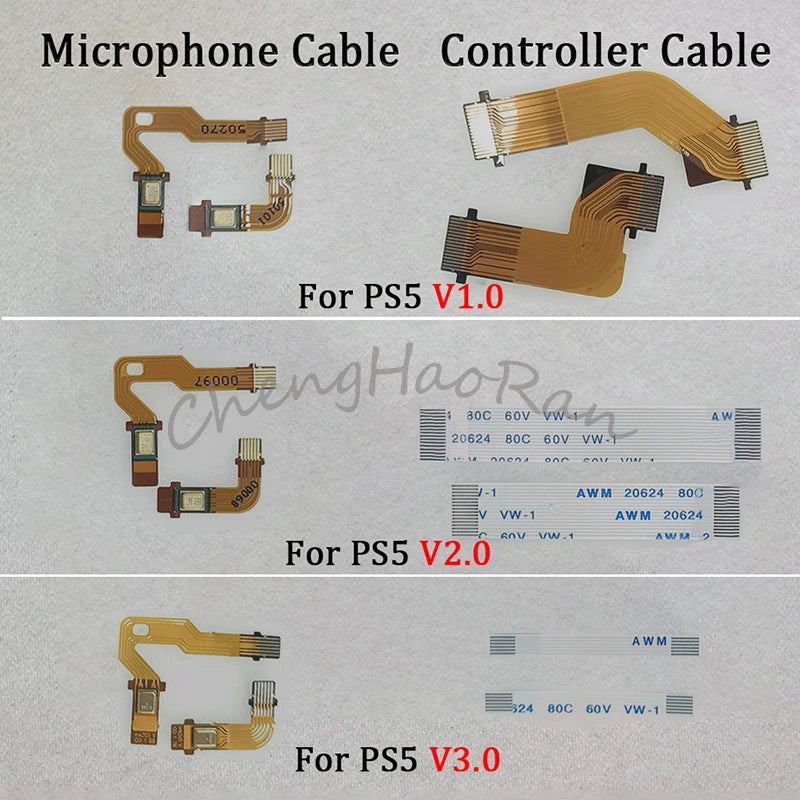


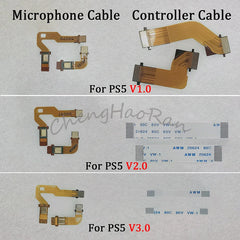
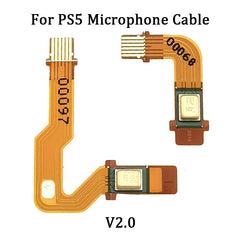
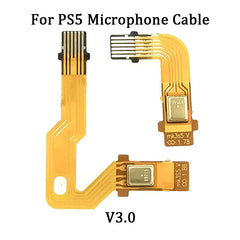
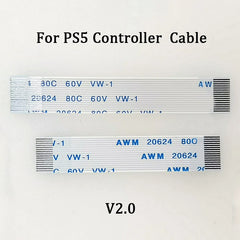


PS5 Microphone Flex Cable Replacement | BDM-010 020 030 Controller Ribbon Cable
- $10.99
- $10.99
- Unit price
- per
Free Shipping
Free standard shipping on orders over $35


Description
xRestore your PS5 controller's microphone function with this flexible ribbon cable. Designed for BDM-010, BDM-020, and BDM-030 models, this replacement part helps fix a broken or unresponsive inner microphone on your DualSense gamepad.
This flat cable connects the microphone module to the main board inside your PS5 controller. When your friends can't hear you during gameplay or voice chat stops working, the flex cable is often the culprit. Instead of buying a new controller, a simple replacement saves you money and keeps your original gamepad working like new.
The cable is made from durable materials that flex without breaking. It matches the original specifications for V1, V2, and V3 PS5 controllers. Installation requires basic disassembly skills and a small screwdriver. Once installed, your controller's microphone picks up voice clearly again for online gaming, party chats, and voice commands.
This set includes one microphone flex cable. It works as a direct replacement for the original part inside your DualSense controller. No soldering or special tools are needed beyond opening the controller shell.
Key Features and Benefits
- Compatible with PS5 BDM-010, BDM-020, and BDM-030 models that fits V1, V2, and V3 DualSense controllers
- Restores microphone function that fixes voice chat and voice command issues without replacing the whole controller
- Flexible ribbon design that bends easily during installation and withstands repeated opening of the controller
- Direct replacement part that installs without soldering or cutting wires for a simple DIY repair
- Durable material construction that resists tearing and maintains a stable connection over time
Who Is This For
- Gamers whose PS5 controller microphone stopped working but the controller still functions normally
- DIY repair enthusiasts who prefer fixing their own electronics instead of buying replacements
- Players who use voice chat frequently for multiplayer games and need reliable microphone performance
- Anyone with a BDM-010, BDM-020, or BDM-030 controller experiencing intermittent microphone failure
Usage Scenario
Mark noticed his friends kept saying they couldn't hear him during Call of Duty matches. He checked his PS5 settings and tested the controller on his PC, but the microphone showed no input. After watching a repair video, he opened his DualSense controller, found the inner microphone flex cable had a small tear near the connector, and swapped it with this replacement. The microphone worked perfectly again, and Mark saved 70 dollars compared to buying a new controller.
Micro Comparison
Buying a brand new PS5 DualSense controller costs around 70 dollars. This replacement cable costs a fraction of that price and fixes the microphone issue directly. Some repair shops charge for labor on top of parts, but replacing this cable yourself takes about 15 minutes with basic tools. It is the most cost-effective solution when only the microphone stops working and the rest of the controller functions fine.
Specifications
Compatible Models: PS5 DualSense BDM-010, BDM-020, BDM-030 (V1, V2, V3)
Cable Type: Flat flex ribbon cable
Quantity: 1 set (1 cable)
Condition: Brand new
Installation: No soldering required
Package Includes
- 1 x PS5 Microphone Flex Cable
Why You Will Love It
Fixing your own controller feels satisfying and saves you money. This cable brings your microphone back to life with a simple swap. You keep using the controller you already know and love instead of breaking in a new one.
Questions and Answers
Question: Will this work for my PS5 controller model number CFI-ZCT1W?
Answer: Yes, if your controller is a BDM-010, BDM-020, or BDM-030 version, this cable will work. Check the model number on the back of your controller near the charging port.
Question: Do I need to solder anything to install this cable?
Answer: No soldering is required. The flex cable connects using small ZIF connectors that open and close with a plastic latch.
Question: How do I know if my microphone issue is caused by this cable?
Answer: Open your controller and inspect the cable for visible tears, creases, or loose connections. If the cable looks damaged, replacing it usually fixes the problem. If the cable looks fine, the microphone module itself might be faulty.
Question: Can I use this cable for PS5 controllers with the touchpad issues?
Answer: No, this cable only fixes the inner microphone function. Touchpad issues are caused by a different flex cable inside the controller.
Question: How long does installation take for someone who has never opened a controller?
Answer: First-time installation takes about 20 to 30 minutes. Watch a video guide for your specific controller model. The process involves removing the back shell, battery, and main board to access the microphone cable.
Compare color
Related Products
- $10.99
- $10.99
- Unit price
- per
- $10.99
- $10.99
- Unit price
- per
- $10.99
- $10.99
- Unit price
- per
- $10.99
- $10.99
- Unit price
- per
- $10.99
- $10.99
- Unit price
- per
- $10.99
- $10.99
- Unit price
- per
- $10.99
- $10.99
- Unit price
- per
- $10.99
- $10.99
- Unit price
- per
- $10.99
- $10.99
- Unit price
- per
- $10.99
- $10.99
- Unit price
- per
- Choosing a selection results in a full page refresh.